
A home for every course.
Keep readings, lecture slides, and shared materials together. Find the right thing without the tab hunt.
Your notes, your classes, your next big idea.
Finally, in the same place.
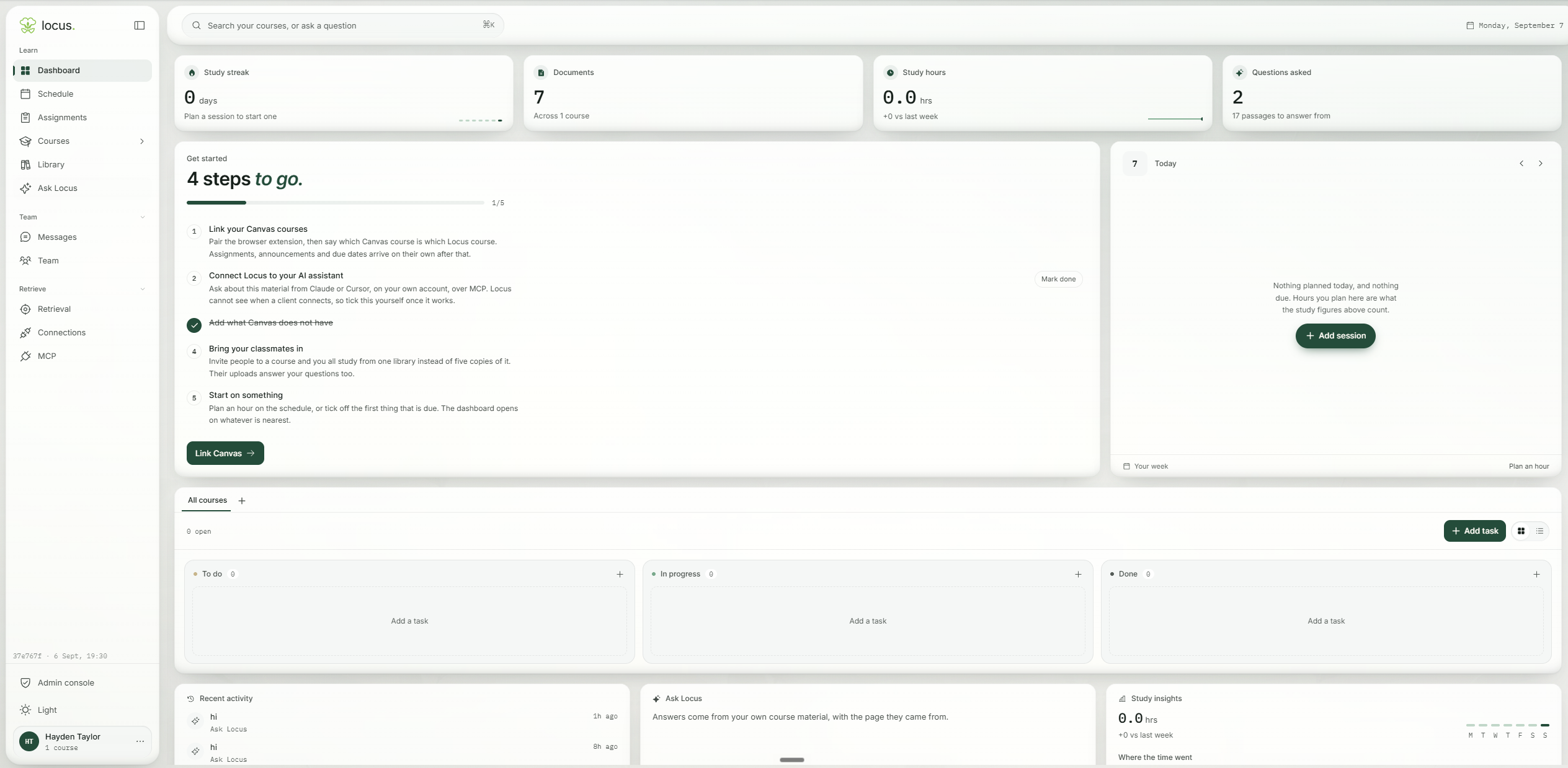
A little less keeping track.
A little more moving forward.
Your documents, study time, and questions, together in one view. Pick up where you left off.
Link Canvas, add your own materials, and bring classmates into a shared course. Everything starts here.
Keep today’s classes and deadlines in view. Make a little room for your next study session.
See work across your courses. Move assignments from To do to In progress to Done, one thing at a time.
A place for it all
College comes with enough to keep in your head. Give everything else a place to land.
Find your focusKeep readings, lecture slides, and shared materials together. Find the right thing without the tab hunt.
Ask a question about your coursework. Follow the citations back to the material it came from.
Record a lecture, keep the transcript, and turn it into a summary you can come back to.
Make flashcards and practice quizzes from your materials. Give yourself somewhere to start studying.
Start with a course. Add your materials. Connect Canvas if you use it. Your scattered semester starts coming together.
A little clarity before you begin.
Locus is a study workspace for your courses. It brings notes, recordings, readings, assignments, and study tools into one place, with an assistant that can answer questions using your course material.
No. You can create a course and add your own files and notes. If your school uses Canvas, connect it to bring in course materials and assignments, and add its calendar feed for deadlines and class times.
Locus searches the course materials you can access and uses them to answer your question. Citations let you open the supporting source and check it for yourself. If your materials do not support an answer, it should say so.
Yes. Invite classmates to a course to share materials and study resources. Course membership controls who can access that course's content.
Create an account, add a course, and upload your first reading or set of lecture slides. You can then ask questions about your materials, take notes, and create study resources. You do not need an invitation to sign up.